Close ALL Applications download for android 12 (Snow Cone)
APK file br.com.artefatos 1.1.21 compatible with Android 12How to install APK / APKS / OBB file on Android
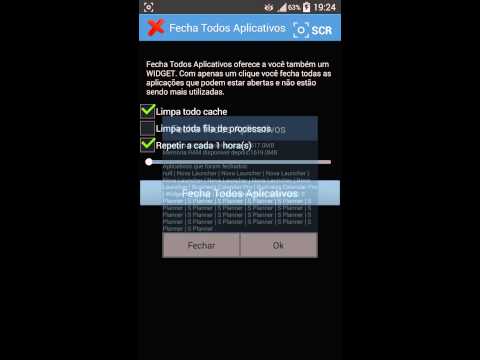

Close All Applications with just one touch!
** Using as a WIDGET **
Just create a widget at your home screen for example and with a simple click, all applications that can be closed will just vanish from your RAM. That can save time and space.
** Using as a normal Application **
The list of closed applications can be easily read! That is pretty interesting just so you know what is really being started at you device.
ATTENTION:
- Always keep in mind that unsaved work can be lost when using this sort of application.
- Some applications are automatically opened by the operating system, so they might be reopened after the execution of Close All Applications.
Special thanks to all users that believed in our work!
We would really appreciate your ideas!
Could something work or look better? Just let us know!
- LicenseFree
- File namebr.com.artefatos
- File Version1.1.21
- Package namebr.com.artefatos
- Size4.17 MB
- UploadedMarch 1, 2021
- Android4.1 or later
- CategoryProductivity
- DeveloperArtefatos CS Brasil
- Developer site
- Developer emailartefatoscs@gmail.com
- md5 hash7a103f6d9d1989c9319592f2463842a2
- Architecture-
- Permissionsshow (8)